

Description:
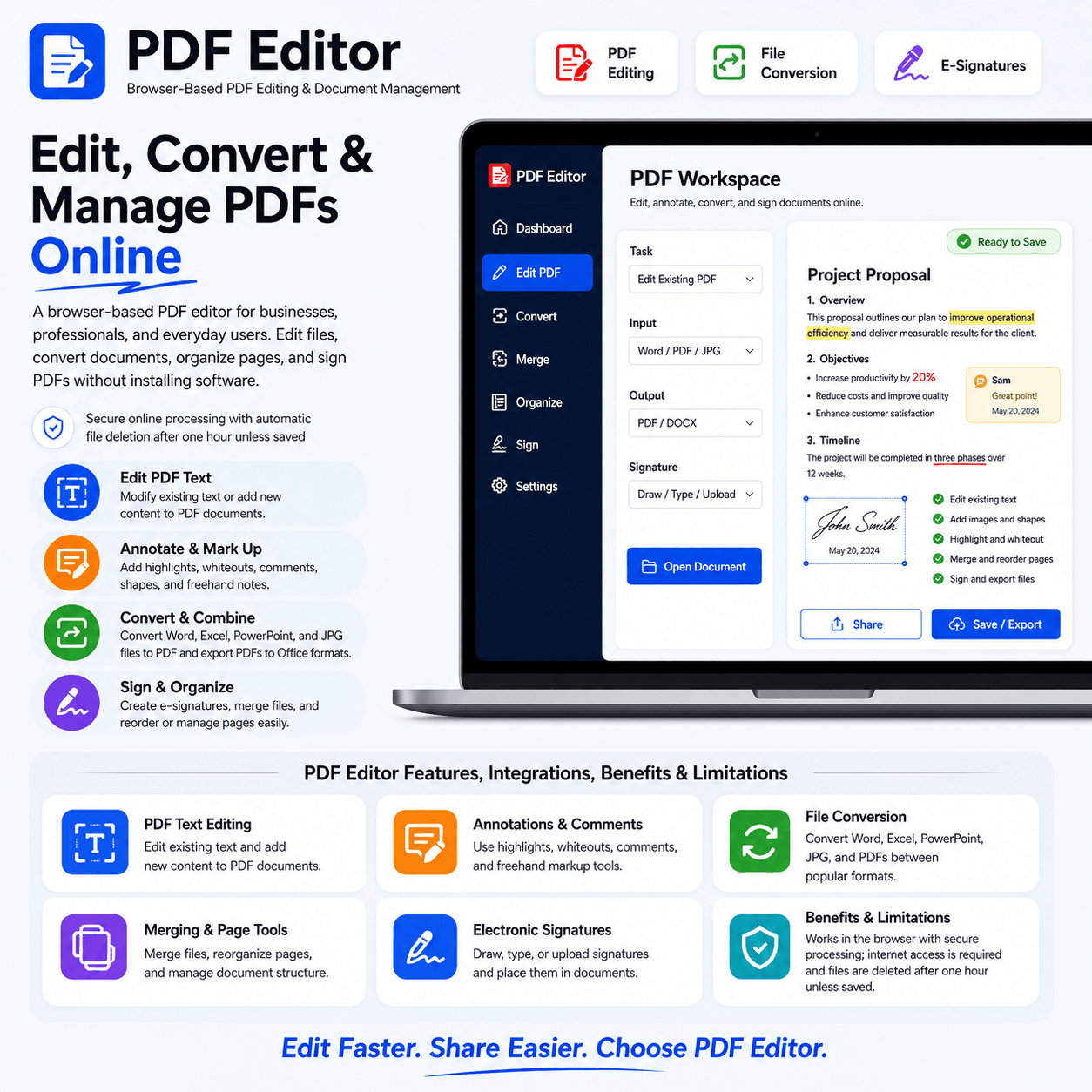
PDF Editor is a browser-based PDF editing and document management solution designed for businesses, professionals, and everyday users. It provides practical tools for editing existing PDF text, adding new content, converting files, combining documents, organizing pages, and signing PDFs electronically. Users can add images, shapes, highlights, whiteouts, comments, and freehand annotations without downloading software. PDF Editor works across operating systems and internet-connected devices, while uploaded files are processed securely and deleted after one hour unless saved.
What You’ll Get:
-
Direct editing of existing PDF text
-
Addition of new text to PDF documents
-
Image and shape insertion tools
-
Freehand drawing and annotation features
-
Text highlighting and document markup
-
Whiteout tools for covering unwanted content
-
Comments and review annotations
-
Word, Excel, PowerPoint, and JPG to PDF conversion
-
PDF to Word, Excel, and PowerPoint conversion
-
Fast conversion with formatting preservation
-
PDF and image merging capabilities
-
Page rearrangement and reordering tools
-
Electronic signature creation and placement
-
Options to draw, type, or upload signatures
-
Drag-and-drop file uploading
-
Browser-based editing with no software installation
-
Compatibility with major operating systems and devices
-
Secure online document processing
-
File deletion after one hour unless saved
-
Support for contracts, forms, reports, and everyday documents
Deliverables:
-
Professionally edited PDF documents
-
PDFs converted from Word, Excel, PowerPoint, and JPG files
-
Editable Word, Excel, and PowerPoint files converted from PDFs
-
Merged PDF and image documents
-
Rearranged and organized PDF pages
-
Electronically signed documents
-
Completed and updated digital forms
-
Annotated PDFs with comments, highlights, and markups
-
PDFs containing added text, images, and shapes
-
Securely processed files ready for sharing, printing, or downloading




Reviews
There are no reviews yet.